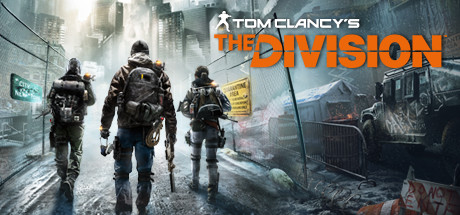
You must be wondering, can my PC run Tom Clancy’s The Division™? On this page you will find Tom Clancy’s The Division™ system requirements for PC (Windows, Linux and Mac). We constantly update our data to provide you with latest and most accurate requirements.
Test your PC to see if it will run Tom Clancy’s The Division™ or check system requirement details for CPU, operating system, graphics and sound cards, required disk space and more for each of the supported platforms.
You can buy Tom Clancy’s The Division™ directly on Steam, or on one of the marketplaces below. Usually, games on marketplaces are much cheaper, and you can save up to 80%! Check prices below:
Laptop models of these desktop cards may work as long as they are on-par in terms of performance with at least the minimum configuration. For an up-to-date list of supported hardware, please visit the FAQ for this game on our website: http://support.ubi.com.*Supported NVIDIA cards at time of release: GeForce GTX500 series: GeForce GTX560 (2 GB VRAM) • GeForce GTX600 series: GeForce GTX660 • GeForce GTX700 series: GeForce GTX760 • GeForce GTX900 Titan series: GeForce GTX960 • Supported AMD cards at time of release: Radeon HD7000 series: Radeon HD7770 (2 GB VRAM) • Radeon 200 series: Radeon R7 270 • Radeon 300/Fury X series: Radeon R7 370 .
Additional Notes
Laptop models of these desktop cards may work as long as they are on-par in terms of performance with at least the minimum configuration. For an up-to-date list of supported hardware, please visit the FAQ for this game on our website: http://support.ubi.com.*Supported NVIDIA cards at time of release: GeForce GTX500 series: GeForce GTX560 (2 GB VRAM) • GeForce GTX600 series: GeForce GTX660 • GeForce GTX700 series: GeForce GTX760 • GeForce GTX900 Titan series: GeForce GTX960 • Supported AMD cards at time of release: Radeon HD7000 series: Radeon HD7770 (2 GB VRAM) • Radeon 200 series: Radeon R7 270 • Radeon 300/Fury X series: Radeon R7 370 .
If you go for recommended requirements for Tom Clancy’s The Division™ for Windows, your operating system should be Originally released for Windows 7, the game can be played on Windows 10 and Windows 11 OS. Recommended CPU would be Intel Core i7-3770 |; AMD FX-8350, CPU or equivalent. For RAM, it is recommended to have 8 GB or more. And video card — NVIDIA GeForce GTX 970 |; AMD Radeon R9 290, - See supported List*.
Game Details
After a deadly pandemic sweeps through New York, it's up to Agents to save what remains. Complete missions, explore the Dark Zone, and fight back enemy factions alone or with 3 friends. Experience a full endgame offering you new PvP and PvE modes.
You would be able to run Tom Clancy’s The Division™ on your PC if it meets minimum requirements below. You can also use our free test tool to check it!
Minimum requirements for Windows are:
OS: Originally released for Windows 7, the game can be played on Windows 10 and Windows 11 OS
Additional Notes: Laptop models of these desktop cards may work as long as they are on-par in terms of performance with at least the minimum configuration. For an up-to-date list of supported hardware, please visit the FAQ for this game on our website: http://support.ubi.com.*Supported NVIDIA cards at time of release: GeForce GTX500 series: GeForce GTX560 (2 GB VRAM) • GeForce GTX600 series: GeForce GTX660 • GeForce GTX700 series: GeForce GTX760 • GeForce GTX900 Titan series: GeForce GTX960 • Supported AMD cards at time of release: Radeon HD7000 series: Radeon HD7770 (2 GB VRAM) • Radeon 200 series: Radeon R7 270 • Radeon 300/Fury X series: Radeon R7 370 .
Can I play Tom Clancy’s The Division™ with 4 GB of RAM?
No, this is not enough to play Tom Clancy’s The Division™. The minimum RAM is 6 GB.
Can I play Tom Clancy’s The Division™ with 6 GB of RAM?
Yes, Tom Clancy’s The Division™ can run with 6 GB of RAM. It's a minimum requirement.
How much RAM does Tom Clancy’s The Division™ need?
You need at least 6 GB of RAM to run Tom Clancy’s The Division™ on PC, but 8 GB is recommended.
What processor do I need for Tom Clancy’s The Division™?