Pixel Soccer系统需求
我的电脑可以运行Pixel Soccer吗?
根据我们的测试,有100%的人可以在自己的PC上运行此游戏。
查看最新测试.
测试我的PC Pixel Soccer

检查您是否也可以运行这些流行游戏!
























价钱
您可以直接在Steam或以下市场之一上购买 Pixel Soccer。 市场上的游戏通常会更便宜,您最多可省80%! 查看一下的价格:






















Windows需求
Mac需求
| 最低配置需求 | |
|---|---|
| 作业系统(OS系统) | 作业系统(OS系统) Mac OS X 10.6+ |
| 中央处理器 | 中央处理器 1 Ghz |
| 记忆体 | 记忆体 1 GB |
| 显示卡 | 显示卡 OpenGL 2.1+ Support, and recommended dedicated graphics card with 128 MB of |
| 硬盘驱动器内存 | 硬盘驱动器内存 200 MB |
对于 Mac OS,这里的 Pixel Soccer 要求从 Mac OS X 10.6+ 操作系统开始。 处理器至少需要是 1 Ghz。 需要 1 GB 内存。 你的显卡应该是OpenGL 2.1+ Support, and recommended dedicated graphics card with 128 MB of。 最后,游戏需要 200 MB 的可用磁盘空间。
游戏的内容
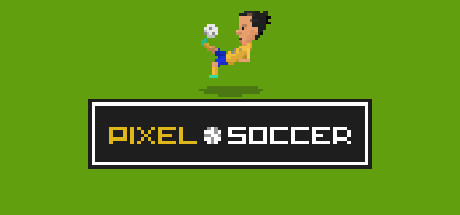
Pixel Soccer is a top down, pixel art, soccer game inspired by retro soccer games from the 90's.
- 开发者们
- Super Rock Games Limited
- 发行商
- Super Rock Games Limited
- 官网
- superrockgames.com
- 客服网站
- superrockgames.com
- 客服网站
- store.steampowered.com
常见問題
执行Pixel Soccer的最低作业系统需求是?
如果满足以下最低要求,则可以在PC上运行Pixel Soccer。 您也可以使用我们的免费测试工具进行检查!
Windows的最低配置需求是?
- 作业系统(OS系统): Windows Vista
- 中央处理器: 1 Ghz
- 记忆体: 1 GB
- 显示卡: 256MB
- 硬盘驱动器内存: 200 MB
Mac的最低配置需求是?
- 作业系统(OS系统): Mac OS X 10.6+
- 中央处理器: 1 Ghz
- 记忆体: 1 GB
- 显示卡: OpenGL 2.1+ Support, and recommended dedicated graphics card with 128 MB of
- 硬盘驱动器内存: 200 MB
我可以在1 GB的RAM上玩Pixel Soccer吗?
是的,Pixel Soccert可以运行1 GB的RAM。 这是最低要求。
执行Pixel Soccer 需要多少记忆体?
执行Pixel Soccer至少需要 1 GB 内存记忆体.
如果用Mac至少需要 1 GB 内存记忆体.
执行Pixel Soccer 的最低CPU处理器需求是?
1 Ghz 是执行Pixel Soccer的最低配置需求。
执行Pixel Soccer需要多大的记忆体内存?
安装此游戏至少需要200 MB 记忆体。
执行Pixel Soccer需要什么记忆体?
你需要256MB或更强的显示卡。
进行Pixel Soccer的作业系统配置为?
Windows Vista 或更新。
是否能在平板电脑执行Pixel Soccer?
是,只要符合上述基本需求 。
是否能在Mac执行Pixel Soccer?
是,只要符合一下基本需求Pixel Soccer支持Mac 。
- 作业系统(OS系统): Mac OS X 10.6+
- 中央处理器: 1 Ghz
- 记忆体: 1 GB
- 显示卡: OpenGL 2.1+ Support, and recommended dedicated graphics card with 128 MB of
- 硬盘驱动器内存: 200 MB
最近的测试
-
- 中央处理器: INTEL Core i3-4160 @ 3.60GHz
- 显示卡: NVIDIA GeForce GTX 550 Ti
- 记忆体: 8 GB
- 作业系统(OS系统): Windows 10 64bit







