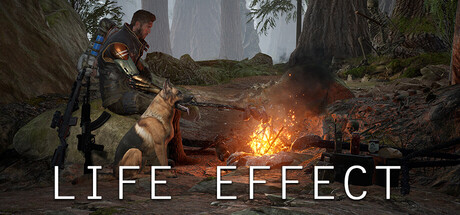
LIFE EFFECT (Retired Version)系统需求

最新版本: 2 十月 2026

在此页面上,您会找到 PC(Linux, Mac 和 Windows)的 LIFE EFFECT (Retired Version) 系统要求。我们不断更新我们的数据,为您提供最新、最准确的要求。

以下是每个受支持平台的 CPU、操作系统、显卡和声卡、所需磁盘空间等的 LIFE EFFECT (Retired Version) 要求详细信息。

目录

我的电脑可以运行LIFE EFFECT (Retired Version)吗?

根据我们的测试,有25%的人可以在自己的PC上运行此游戏。
查看最新测试.

测试我的PC LIFE EFFECT (Retired Version)

Sysrqmts browser extension icon
不确定您有什么硬件?
安装我们的 Chrome 扩展程序 以自动填充此信息。

  1. Right-click the Windows icon in the bottom left-hand corner of your screen
  2. Click on the ‘System’ Tab in the pop-up menu
  3. Your computer’s CPU name will be displayed under ‘Device Specifications > Processor’

  1. Right-click the Windows icon in the bottom left-hand corner of your screen
  2. In the opened menu click on ‘Device Manager’
  3. In ‘Device Manager’ click on the arrow next to ‘Display adapters’
  4. Under the drop-down, you will see the GPU that your computer is using

  1. Right-click the Windows icon in the bottom left-hand corner of your screen
  2. Click on the ‘System’ Tab in the pop-up menu
  3. Your computer’s RAM will be displayed under ‘Device Specifications > Installed RAM’

  1. Right-click the Windows icon in the bottom left-hand corner of your screen
  2. Click on the ‘System’ Tab in the pop-up menu
  3. You can see if Windows is 64 or 32 bit under ‘System type’
  4. You can see Windows version under ‘Windows edition’

检查您是否也可以运行这些流行游戏!

价钱

您可以直接在Steam或以下市场之一上购买 LIFE EFFECT (Retired Version)。 市场上的游戏通常会更便宜,您最多可省80%! 查看一下的价格:

店 产品 价钱

Windows需求

需要 64 bit处理器和作业系统

在Windows的LIFE EFFECT (Retired Version)系统需求
最低配置需求 推荐配置需求
OS *
OS *
Windows 7/8.1/10/11 ()
OS *
Windows 7/8.1/10/11 ()
中央处理器
中央处理器
Intel Core i7+ / AMD Ryzen 5+
中央处理器
Intel Core i7+ / AMD Ryzen 5+
记忆体
记忆体
16 GB
记忆体
32 GB
显示卡
显示卡
NVIDIA GeForce 6GB+ / AMD Radeon 6GB+
显示卡
NVIDIA GeForce 8GB+ / AMD Radeon 8GB+
DirectX
DirectX
Version 11
DirectX
Version 12
硬盘驱动器内存
硬盘驱动器内存
30 GB
硬盘驱动器内存
30 GB
其他说明
其他说明
SSD/M2 recommended
其他说明
SSD/M2 recommended

您的处理器应该是 Intel Core i7+ / AMD Ryzen 5+ 或更强大的处理器。 最低 RAM 要求是 16 GB。 显卡应该是NVIDIA GeForce 6GB+ / AMD Radeon 6GB+。 您还必须有 30 GB 可用磁盘空间来安装游戏。

推荐的 CPU 将是 :CPU CPU 或等效的。 RAM建议32 GB以上。 和显卡 — NVIDIA GeForce 8GB+ / AMD Radeon 8GB+.

游戏的内容

Go to the new project page to continue monitoring the development of the game. The new page will be the only place for further development of the LIFE EFFECT Survival project. The new version of the game is called LIFE EFFECT Survival, but it will be updated and developed.

发行日期
14 February, 2026
类别目录
单人, Family Sharing, Family Sharing, Family Sharing, Family Sharing, Family Sharing, Family Sharing, Family Sharing
类型
动作, 冒险, 独立
已支持语言
俄语*, 简体中文, 英语
* 音讯全面支持的语言
开发者们
Effect Studio
发行商
GAMEPORTAL.CO
官网
discord.gg
客服网站
discord.gg
客服网站
store.steampowered.com

常见問題

执行LIFE EFFECT (Retired Version)的最低作业系统需求是?

如果满足以下最低要求,则可以在PC上运行LIFE EFFECT (Retired Version)。 您也可以使用我们的免费测试工具进行检查!

Windows的最低配置需求是?

  • OS *: Windows 7/8.1/10/11 ()
  • 中央处理器: Intel Core i7+ / AMD Ryzen 5+
  • 记忆体: 16 GB
  • 显示卡: NVIDIA GeForce 6GB+ / AMD Radeon 6GB+
  • DirectX: Version 11
  • 硬盘驱动器内存: 30 GB
  • 其他说明: SSD/M2 recommended

我可以在8 GB的RAM上玩LIFE EFFECT (Retired Version)吗?

不,这还不够玩LIFE EFFECT (Retired Version)。 最小RAM为16 GB。

我可以在16 GB的RAM上玩LIFE EFFECT (Retired Version)吗?

是的,LIFE EFFECT (Retired Version)t可以运行16 GB的RAM。 这是最低要求。

执行LIFE EFFECT (Retired Version) 需要多少记忆体?

执行LIFE EFFECT (Retired Version)至少需要 16 GB 内存记忆体,但推荐使用 32 GB .

执行LIFE EFFECT (Retired Version) 的最低CPU处理器需求是?

Intel Core i7+ / AMD Ryzen 5+ 是执行LIFE EFFECT (Retired Version)的最低配置需求。

执行LIFE EFFECT (Retired Version)需要多大的记忆体内存?

安装此游戏至少需要30 GB 记忆体。

执行LIFE EFFECT (Retired Version)需要什么记忆体?

你需要NVIDIA GeForce 6GB+ / AMD Radeon 6GB+或更强的显示卡。

LIFE EFFECT (Retired Version)需要 64 bit处理器和作业系统执行吗?

是,此游戏需要 64 bit处理器和作业系统执行。

执行LIFE EFFECT (Retired Version)需要什么 DirectX 版本?

执行此游戏需要Version 11 或更新版本。

是否能在平板电脑执行LIFE EFFECT (Retired Version)?

是,只要符合上述基本需求 。

LIFE EFFECT (Retired Version)发行日期为?

LIFE EFFECT (Retired Version) 发行日期是 14 February, 2026.

最近的测试

Sysrqmts browser extension icon
停止为 PC 游戏多付钱!
使用我们的浏览器扩展程序在 Steam 商店中查看最便宜的价格。