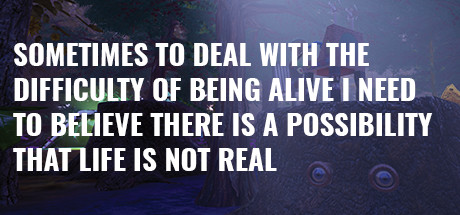
Sometimes to Deal with the Difficulty of Being Alive, I Need to Believe There Is a Possibility That Life Is Not Real. Wymagania systemowe — Czy możesz ją uruchomić?

Ostatnio zaktualizowano: 2 października 2021

Zastanawiasz się czy możesz uruchomić Sometimes to Deal with the Difficulty of Being Alive, I Need to Believe There Is a Possibility That Life Is Not Real. na swoim PC? Na tej stronie znajdziesz wymagania systemowe gry na PC (Windows). Nieustannie aktualizujemy nasze dane, aby zapewnić ci najnowsze i najdokładniejsze wymagania.

Przetestuj swój komputer, aby sprawdzić, czy będzie w stanie uruchomić Sometimes to Deal with the Difficulty of Being Alive, I Need to Believe There Is a Possibility That Life Is Not Real. lub sprawdź wymagania systemowe dla procesora, systemu operacyjnego, karty graficznej i dźwiękowej, wymaganego miejsca na dysku i więcej dla każdej z obsługiwanych platform.

Spis Treści

Czy na moim komputerze można uruchomić Sometimes to Deal with the Difficulty of Being Alive, I Need to Believe There Is a Possibility That Life Is Not Real.?

Czy zadziała? Według naszych testów 17% osób może uruchomić ją na swoim komputerze. Przetestuj swój komputer teraz!
Zobacz najnowsze testy.

Przetestuj swój komputer pod kątem Sometimes to Deal with the Difficulty of Being Alive, I Need to Believe There Is a Possibility That Life Is Not Real.

Sysrqmts browser extension icon
Nie jesteś pewien, jaki masz sprzęt?
Zainstaluj nasze rozszerzenie do Chrome, aby automatycznie uzupełnić te informacje.

  1. Kliknij prawym przyciskiem myszy ikonę Windows w lewym dolnym rogu ekranu
  2. Kliknij „System” w wyskakującym menu
  3. Nazwa procesora komputera zostanie wyświetlona w sekcji „Specyfikacje urządzenia > Procesor’

  1. Kliknij prawym przyciskiem myszy ikonę Windows w lewym dolnym rogu ekranu
  2. W otwartym menu kliknij „Menedżer urządzeń”
  3. W „Menedżerze urządzeń” kliknij strzałkę obok „Karty graficzne”
  4. W menu rozwijanym zobaczysz procesor graficzny używany przez komputer

  1. Kliknij prawym przyciskiem myszy ikonę Windows w lewym dolnym rogu ekranu
  2. Kliknij kartę „System” w wyskakującym menu
  3. Pamięć RAM komputera zostanie wyświetlona w sekcji „Specyfikacje urządzenia > Zainstalowana pamięć RAM”

  1. Kliknij prawym przyciskiem myszy ikonę Windows w lewym dolnym rogu ekranu
  2. Kliknij „System” w wyskakującym menu
  3. W sekcji „Typ systemu” możesz sprawdzić, czy system Windows jest 64 czy 32-bitowy
  4. Wersję systemu Windows można zobaczyć w „Edycji systemu Windows”

Sprawdź, czy możesz uruchomić również te popularne gry!

Kup Sometimes to Deal with the Difficulty of Being Alive, I Need to Believe There Is a Possibility That Life Is Not Real.

Możesz kupić Sometimes to Deal with the Difficulty of Being Alive, I Need to Believe There Is a Possibility That Life Is Not Real. bezpośrednio na Steam lub na jednym z poniższych rynków. Zazwyczaj gry na innych stronach są znacznie tańsze i możesz zaoszczędzić nawet do 80%! Sprawdź ceny poniżej:


Sklep Produkt Cena

Sometimes to Deal with the Difficulty of Being Alive, I Need to Believe There Is a Possibility That Life Is Not Real. Windows Wymagania

Sometimes to Deal with the Difficulty of Being Alive, I Need to Believe There Is a Possibility That Life Is Not Real. wymagania systemowe dla Windows
Minimalne Wymagania Zalecane Wymagania
OS
OS
Windows 10
OS
Windows 10
Procesor
Procesor
Procesor
i7
RAM
RAM
8 MB
RAM
16 MB
Grafika
Grafika
Nvidia GTX 750 or higher
Grafika
DirectX
DirectX
Version 11
DirectX
Version 11
Sieć
Sieć
Szerokopasmowe łącze internetowe
Sieć
Pamięć
Pamięć
3 GB
Pamięć
4 GB

Sometimes to Deal with the Difficulty of Being Alive, I Need to Believe There Is a Possibility That Life Is Not Real. Minimalne wymagania dla systemu Windows zakładają posiadanie co najmniej systemu operacyjnego Windows 10. Twój procesor powinien być Dual Core 2.4GHz lub mocniejszy. Minimalne wymaganie pamięci RAM to 8 MB. Jeśli chodzi o kartę graficzną, powinna to być Nvidia GTX 750 or higher. Aby zainstalować grę, musisz mieć także 3 GB wolnego miejsca na dysku.

Jeśli wybierzesz zalecane wymagania dla Sometimes to Deal with the Difficulty of Being Alive, I Need to Believe There Is a Possibility That Life Is Not Real. dla Windows, Twój system operacyjny powinien mieć Windows 10. Zalecany procesor to i7 CPU lub odpowiednik. W przypadku pamięci RAM zalecane jest posiadanie 16 MB lub więcej. I karta wideo — Nvidia GTX 980.

Szczegóły gry

A video experience, a simulation, a game that plays itself, a database of games, an absurdist, sci-fi play, emails going to nowhere, conversation starters, meditations, secret lairs, fights, break-dancing, play on a network, play by yourself, don’t play at all and just watch, set it up in a gallery, set it up at a party...

Data wydania
22 May, 2021
Kategorie
Dla jednego gracza, Multiplayer, Gracz kontra gracz, Gracz kontra gracz online
Gatunek
Symulator
Obsługiwane języki
Angielski*
* języki z pełną obsługą dźwięku
Deweloperzy
Jeremy Couillard, Ireneo Mercado
Wydawcy
Jeremy Couillard
Strona wsparcia
store.steampowered.com

FAQ

Czy mogę uruchomić Sometimes to Deal with the Difficulty of Being Alive, I Need to Believe There Is a Possibility That Life Is Not Real.?

Będziesz mógł uruchomić Sometimes to Deal with the Difficulty of Being Alive, I Need to Believe There Is a Possibility That Life Is Not Real. na swoim PC, jeśli spełnia on poniższe minimalne wymagania. Możesz również skorzystać z naszego bezpłatnego narzędzia testowego, aby to sprawdzić!

Minimalne wymagania dla Windows to:

  • OS: Windows 10
  • Procesor: Dual Core 2.4GHz
  • RAM: 8 MB
  • Grafika: Nvidia GTX 750 or higher
  • DirectX: Version 11
  • Sieć: Szerokopasmowe łącze internetowe
  • Pamięć: 3 GB

Ile pamięci RAM potrzebuje Sometimes to Deal with the Difficulty of Being Alive, I Need to Believe There Is a Possibility That Life Is Not Real. ?

Potrzebujesz co najmniej 8 MB pamięci RAM, aby uruchomić Sometimes to Deal with the Difficulty of Being Alive, I Need to Believe There Is a Possibility That Life Is Not Real. na PC, ale 16 MB jest zalecane.

Jakiego procesora potrzebuję do Sometimes to Deal with the Difficulty of Being Alive, I Need to Believe There Is a Possibility That Life Is Not Real.?

Dual Core 2.4GHz to minimalne wymaganie, aby komputer PC mógł uruchomić Sometimes to Deal with the Difficulty of Being Alive, I Need to Believe There Is a Possibility That Life Is Not Real..

Ile GB potrzebnych jest dla Sometimes to Deal with the Difficulty of Being Alive, I Need to Believe There Is a Possibility That Life Is Not Real.?

Do zainstalowania Sometimes to Deal with the Difficulty of Being Alive, I Need to Believe There Is a Possibility That Life Is Not Real. na komputerze wymagane jest co najmniej 3 GB miejsca na dysku.

Jakiej karty graficznej potrzebuję do Sometimes to Deal with the Difficulty of Being Alive, I Need to Believe There Is a Possibility That Life Is Not Real.?

Potrzebujesz karty graficznej Nvidia GTX 750 or higher lub wydajniejszej.

Jakiej wersji systemu Windows mogę używać do grania w Sometimes to Deal with the Difficulty of Being Alive, I Need to Believe There Is a Possibility That Life Is Not Real.?

Windows 10 lub nowszy.

Jakiego DirectX potrzebuję, aby uruchomić Sometimes to Deal with the Difficulty of Being Alive, I Need to Believe There Is a Possibility That Life Is Not Real.?

Version 11 lub nowszy jest wymagany w tej grze.

Czy mogę uruchomić Sometimes to Deal with the Difficulty of Being Alive, I Need to Believe There Is a Possibility That Life Is Not Real. na moim laptopie?

Tak, o ile spełnia minimalne wymagania powyżej.

Kiedy jest data premiery Sometimes to Deal with the Difficulty of Being Alive, I Need to Believe There Is a Possibility That Life Is Not Real. ?

Sometimes to Deal with the Difficulty of Being Alive, I Need to Believe There Is a Possibility That Life Is Not Real. data wydania to 22 May, 2021.

Ostatnie Testy

Sysrqmts browser extension icon
Przestań przepłacać za gry na PC!
Zobacz najtańsze ceny w sklepie Steam dzięki naszemu rozszerzeniu przeglądarki.