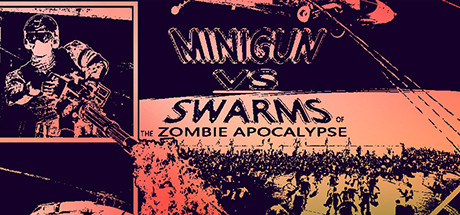
In questa pagina troverete i requisiti di sistema per Minigun VS Swarms of the Zombie Apocalypse Simulator per PC (Windows, Linux e Mac). Di seguito sono riportati i dettagli dei requisiti di Minigun VS Swarms of the Zombie Apocalypse Simulator per CPU, sistema operativo, schede grafiche e audio, spazio su disco richiesto e altro ancora per ciascuna delle piattaforme supportate.
Requisiti di Sistema per Minigun VS Swarms of the Zombie Apocalypse Simulator
Posso eseguire Minigun VS Swarms of the Zombie Apocalypse Simulator sul mio PC?
Testa il tuo PC per Minigun VS Swarms of the Zombie Apocalypse Simulator

Controlla se puoi eseguire anche questi giochi popolari!
























Acuista Minigun VS Swarms of the Zombie Apocalypse Simulator
Puoi acquistare Minigun VS Swarms of the Zombie Apocalypse Simulator direttamente su Steam, o su uno dei marketplace sottostanti. Solitamente, i giochi nei marketplace sono molto più economici, e potrai risparmiare fino all'80%! Controlla i prezzi:

























Requisiti Minigun VS Swarms of the Zombie Apocalypse Simulator Windows
Richiede un processore a 64 bit e un sistema operativo.
| Requisiti Minimi | Requisiti Raccomandati | |
|---|---|---|
| OS * | OS * Windows 7 | OS * — |
| Processore | Processore | Processore |
| RAM | RAM 8 GB | RAM 16 GB |
| Grafica | Grafica | Grafica |
| Disco Rigido | Disco Rigido 2 GB | Disco Rigido 5 GB |
| Note Aggiuntive | Note Aggiuntive Pay attention to the temperature of your CPU and GPU !!! Make sure your computer has enough memory before starting the game, otherwise the game may crash! | Note Aggiuntive Pay attention to the temperature of your CPU and GPU !!! Make sure your computer has enough memory before starting the game, otherwise the game may crash! |
| SO | SO — | SO Windows 10 |
Il tuo processore deve essere un Intel Core i7 o più potente. La RAM minima raccomandata è 8 GB. Come scheda video, hai bisogno di una GTX 1050 Ti. Inoltre devi avere almeno 2 GB di spazio libero per installare il gioco.
Se stai cercando i requisiti raccomandati di Minigun VS Swarms of the Zombie Apocalypse Simulator per Windows, il sistema operativo deve essere Windows 10. La CPU raccomandata è Intel Core i9 o equivalente. Per la RAM, si raccomandano 16 GB o più. E la scheda video — GTX 1080 Ti.
Dettagli Gioco
10k+ zombies on the same screen, faced with the scene of the doomsday, the raging tide of corpses, your Minigun is thirsty, yes! Hold on for 5 minutes if you think you are tough!
- Categoria
- Giocatore singolo
- Generi
- Indie, Simulazione, Casual
- Lingue supportate
- Inglese*, Cinese Semplificato*
* lingue con audio completo supportate
- Sviluppatore
- Complex Plane
- Editore
- Complex Plane
- Sito del supporto
- store.steampowered.com
FAQ
Puoi giocare a Minigun VS Swarms of the Zombie Apocalypse Simulator?
Sarai in grado di eseguire Minigun VS Swarms of the Zombie Apocalypse Simulator sul tuo PC se soddisfa i requisiti minimi di seguito. Puoi anche utilizzare il nostro tool di test gratuito per verificarlo!
I requisiti minimi per Windows sono:
- OS *: Windows 7
- Processore: Intel Core i7
- RAM: 8 GB
- Grafica: GTX 1050 Ti
- Disco Rigido: 2 GB
- Note Aggiuntive: Pay attention to the temperature of your CPU and GPU !!! Make sure your computer has enough memory before starting the game, otherwise the game may crash!
- SO:
Posso giocare Minigun VS Swarms of the Zombie Apocalypse Simulator con 6 GB di RAM?
No, non basta per giocare Minigun VS Swarms of the Zombie Apocalypse Simulator. La RAM minima è 8 GB.
Posso giocare Minigun VS Swarms of the Zombie Apocalypse Simulator con 8 GB di RAM?
Sì, puoi giocare Minigun VS Swarms of the Zombie Apocalypse Simulator con 8 GB di RAM. E' un requisito minimo.
Quanta RAM richiede Minigun VS Swarms of the Zombie Apocalypse Simulator?
Hai bisogno di almeno 8 GB di RAM per eseguire Minigun VS Swarms of the Zombie Apocalypse Simulator sul PC, ma si raccomandano 16 GB.
Di che processore ho bisogno per Minigun VS Swarms of the Zombie Apocalypse Simulator?
Intel Core i7 è un requisito minimo del PC per essere in grado di eseguire Minigun VS Swarms of the Zombie Apocalypse Simulator.
Quanti GB pesa Minigun VS Swarms of the Zombie Apocalypse Simulator?
Almeno 2 GB di spazio libero sono richiesti per installare Minigun VS Swarms of the Zombie Apocalypse Simulator sul tuo PC.
Di quale scheda video ho bisogno per Minigun VS Swarms of the Zombie Apocalypse Simulator?
Hai bisogno di una GTX 1050 Ti o una scheda video più potente.
Minigun VS Swarms of the Zombie Apocalypse Simulator richiede un processore e un sistema operativo a 64-bit?
Sì, Minigun VS Swarms of the Zombie Apocalypse Simulator richiede un processore e un sistema operativo a 64-bit.
Posso eseguire Minigun VS Swarms of the Zombie Apocalypse Simulator sul mio laptop?
Sì, purché soddisfi i requisiti minimi qui sopra.