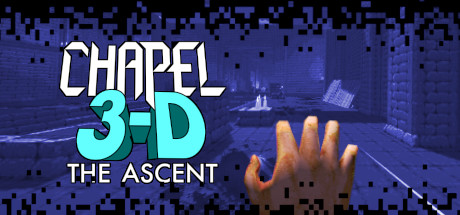
En esta página encontrarás los requerimientos del sistema de Chapel 3-D: The Ascent para PC (Linux, Mac y Windows). Actualizamos constantemente nuestra información para proporcionarte los más recientes y precisos requerimientos.
Debajo están los detalles de los requerimientos de Chapel 3-D: The Ascent para el CPU, sistema operativo, tarjetas gráficas y de audio, espacio en disco requerido y más, para cada una de las plataformas soportadas.
¡Comprueba si también puedes ejecutar estos juegos populares!
Precios
Puedes comprar Chapel 3-D: The Ascent directamente en Steam, o en uno de los mercados a continuación. Por lo general, los juegos en los mercados son mucho más baratos, ¡y puedes ahorrar hasta un 80%! Verifica los precios a continuación:
Requerimientos mínimos de Chapel 3-D: The Ascent para Windows asumiendo tener al menos sistema operativo Windows 7. Tu procesador deber ser 1.7 GHz Intel Core i7 (4th gen, Haswell) o alguno más potente. El RAM mínima requerida es 1024 MB. En cuanto a la tarjeta de gráficos, debe ser Intel HD Graphics 5000 (or other compatible with OpenGL 3.3). También necesitar tener 100 MB de espacio libre en disco para instalar el juego.
Si buscas los requisitos recomendados de Chapel 3-D: The Ascent para Windows, tu sistema operativo debe ser Windows 7. El CPU recomendado sería un CPU 1.7 GHz Intel Core i7 (4th gen, Haswell) o equivalente. Respecto a la RAM, es recomendado tener 1024 MB o más. Y tarjeta de video — Intel HD Graphics 5000 (or other compatible with OpenGL 3.3).
Detalles del Juego
🔥 Chapel 3-D: The Ascent is a break-neck, violent boomer shooter inspired by classics of the genre. Experience the story behind the events of Cathedral 3-D and make your enemies regret ever crossing your path. Become a beast and let loose. 🔥
¿Cuál es el requisito mínimo del sistema para Chapel 3-D: The Ascent?
Podrías ejecutar Chapel 3-D: The Ascent en tu PC si cumple con los requisitos mínimos a continuación. ¡También puedes usar nuestra herramienta de prueba gratuita para comprobarlo!
Los requisitos mínimos para Windows son:
SO: Windows 7
CPU: 1.7 GHz Intel Core i7 (4th gen, Haswell)
RAM: 1024 MB
Tarjeta Gráfica: Intel HD Graphics 5000 (or other compatible with OpenGL 3.3)
Disco Duro: 100 MB
Tarjeta de Sonido: DirectX 9.0c compatible
¿Cuánta memoria RAM necesita Chapel 3-D: The Ascent?
Necesitas al menos 1024 MB de RAM para ejecutar Chapel 3-D: The Ascent en PC, .
¿Qué CPU es suficiente para ejecutar Chapel 3-D: The Ascent?
1.7 GHz Intel Core i7 (4th gen, Haswell) es el requisito mínimo para los Ordenadores para poder ejecutar Chapel 3-D: The Ascent
¿Cuánto espacio necesito para Chapel 3-D: The Ascent?
Al menos se requiere 100 MB de espacio para instalar el juego en tu PC.
¿Qué tarjeta de video es requerida para Chapel 3-D: The Ascent?
Necesitas Intel HD Graphics 5000 (or other compatible with OpenGL 3.3) o una tarjeta de video más poderosa.
¿Qué versión de Windows puedo usar para jugar Chapel 3-D: The Ascent?
Windows 7 o superior.
¿Este juego requiere un procesador y sistema operativo de 64 bits?
Si, este juego necesita un procesador de 64 bits y un sistema operativo compatible.
¿Puedo ejecutar Chapel 3-D: The Ascent desde mi laptop?
Sí, siempre que cumplas los requisitos mínimos anteriores.